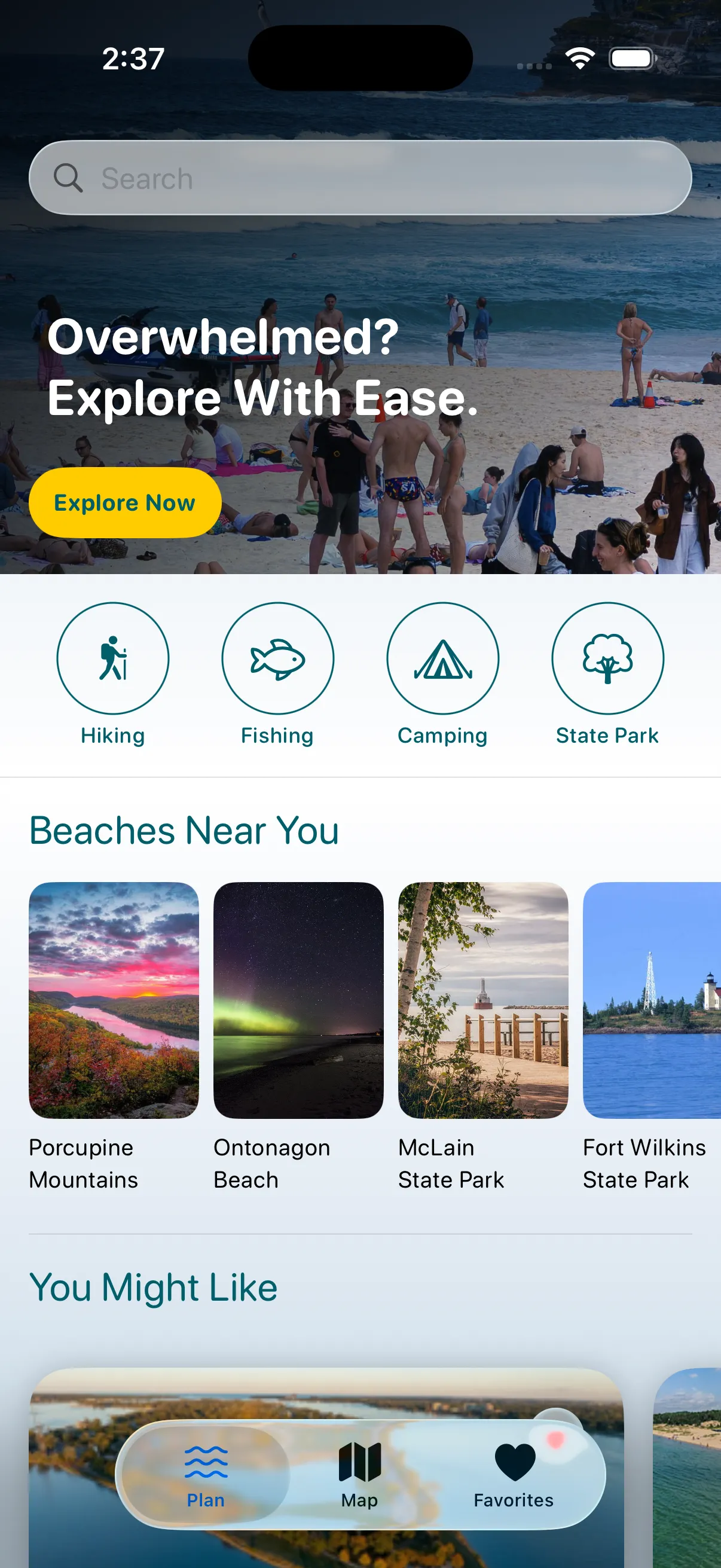
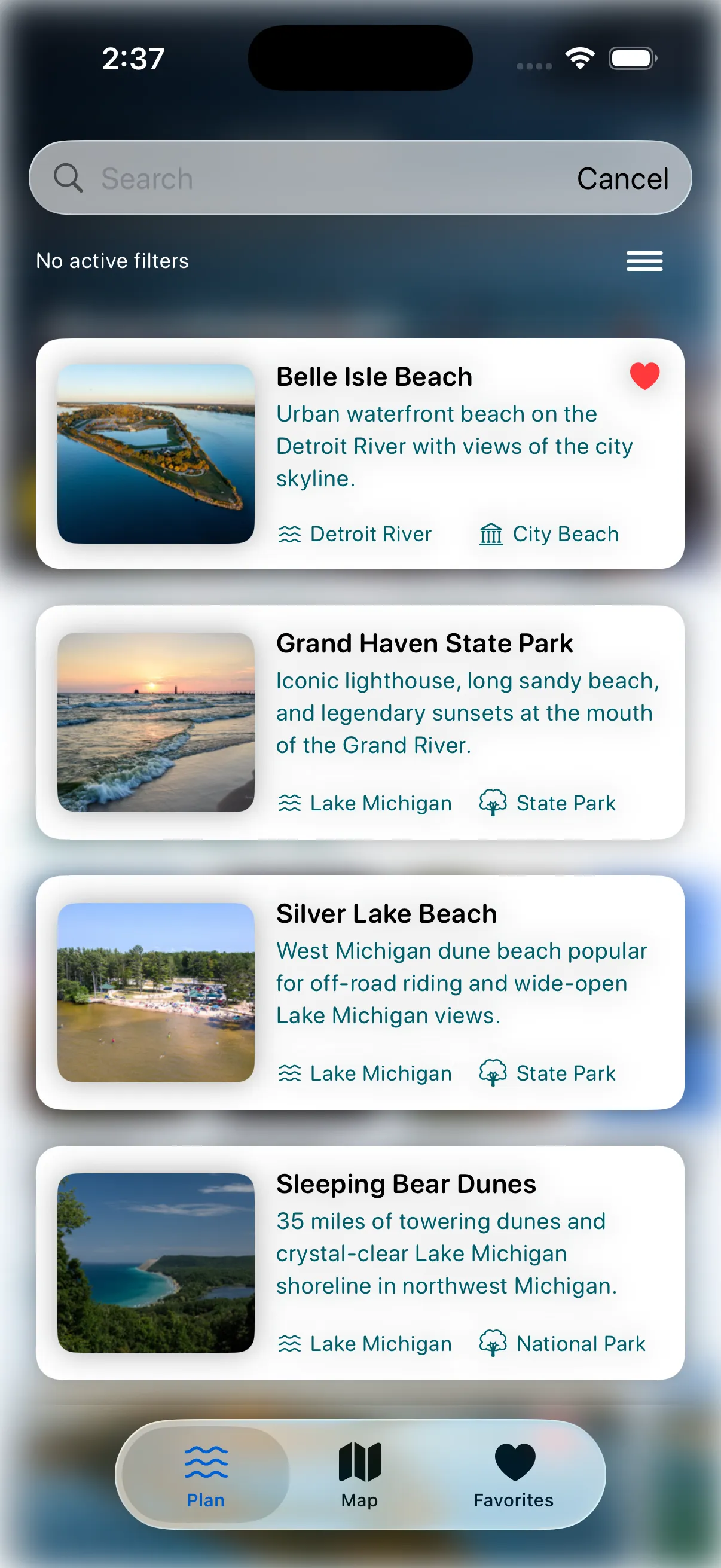
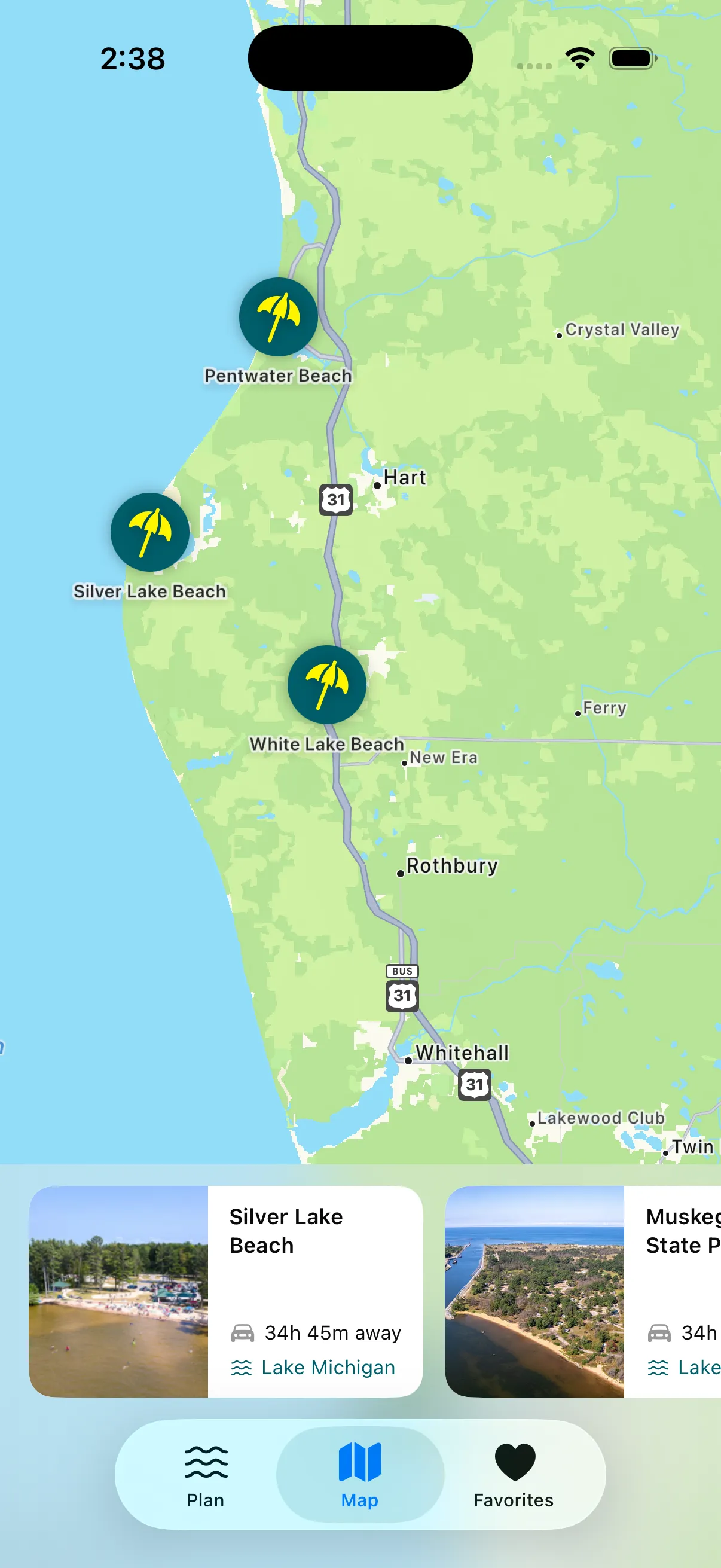
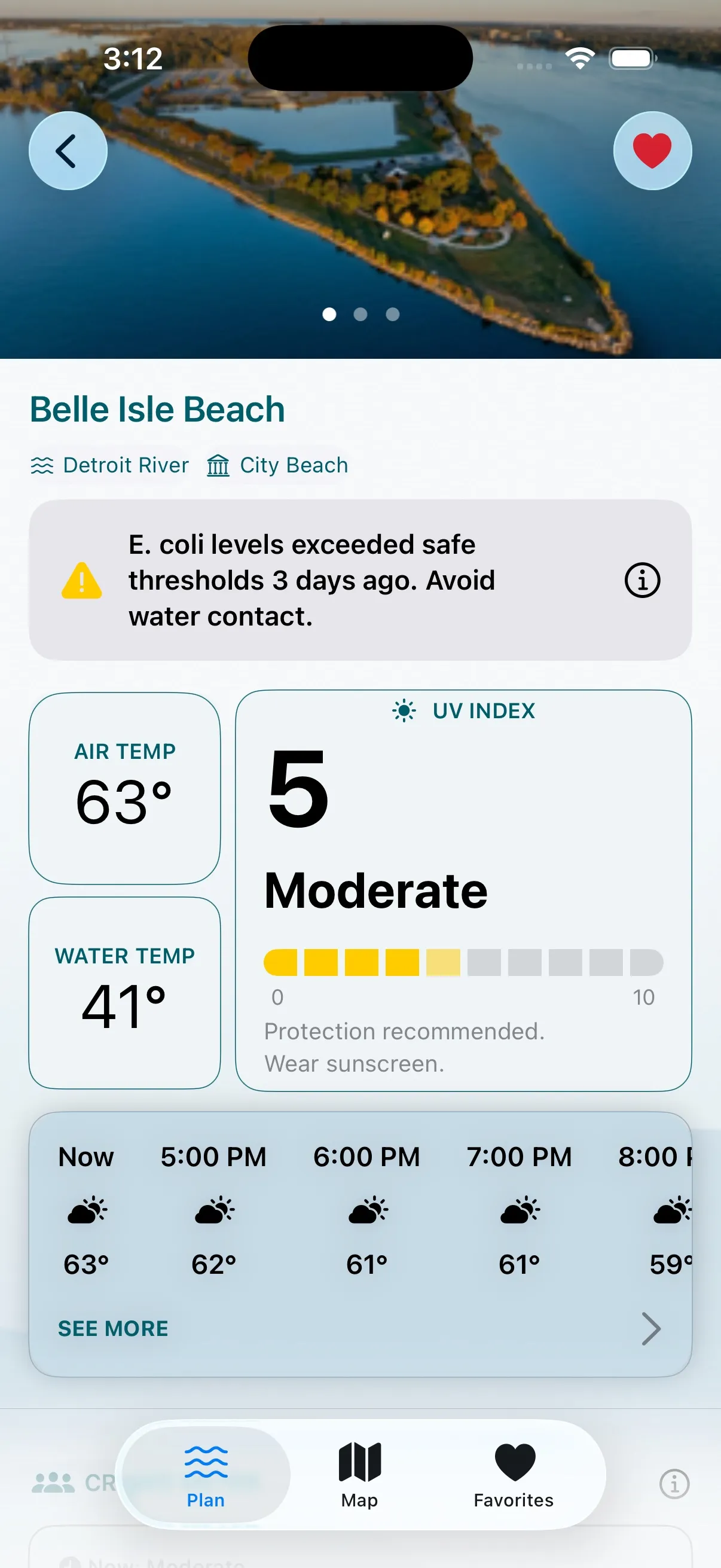
Browsing by region, opening a beach, and reading live conditions, all from a single request to the API.
Overview
CoastCast is an iOS app I built because checking beach conditions in Michigan meant jumping between three different government websites. You browse beaches by region, save favorites, and see live temperature, wind, and humidity for each one.
I built both halves: the SwiftUI app on the front end and a Python API on the back end that pulls live readings from National Weather Service stations, NOAA buoys, and active alert feeds.
The problem
The data people need before driving to a beach already exists, but it is scattered across federal services that were never designed for a casual reader.
Weather, buoy readings, and alerts each live behind a separate government endpoint with its own format and its own uptime.
Every reading comes back in metric, so raw values mean nothing to someone deciding whether to pack a towel.
Any one of those sources can go down, and a naive client would fail the whole screen when it does.
Approach
01
Fetch everything at once
The backend kicks off the weather, buoy, and alert requests together instead of waiting on each in turn. The detail screen loads as fast as the slowest single source, not all three added up.
02
One endpoint per screen
A single beach detail endpoint resolves the beach, then composes weather, conditions, and alerts into one response. The app makes one request to fill the whole screen.
03
Convert at the edge
The app keeps the original metric values and converts on display, imperial by default with a one tap switch to Celsius. A missing reading renders a dash instead of an error.
04
Predict crowds on device
A CoreML model I trained runs each day of the WeatherKit forecast through a crowd predictor using temperature, precipitation, wind, and water temp. No extra network call.
Technical highlights
Concurrent composition - asyncio.gather with return_exceptions=True means a failing source degrades to an empty section rather than taking down the response.
NDBC text parsing - NOAA publishes buoy readings as whitespace-delimited text using MM for missing values, so the parser falls back to MM even when a column is absent entirely.
Blocking work off the loop - The pandas processing is synchronous, so asyncio.to_thread runs it without rewriting it or stalling the async API.
Batched favorite refresh - A TaskGroup refreshes every saved beach in parallel, then decides which ones are worth a notification: a great beach day, a threshold crossing, or a severe alert.
Layered SwiftUI - Fetching, storage, and presentation live in separate types, which is what made pull to refresh and stale-while-loading straightforward to add.
Screens
Home Screen
Nearby beaches and recommendations the moment you open the app.
Search and Filter
Narrow by lake, park type, or activity, with quick-glance tags on each result.
Interactive Map
Every beach plotted with custom pins and a swipeable card tray.
Beach Conditions
Air and water temperature, UV guidance, and a live hourly forecast.
Code
Running Blocking Code Inside an Async API
Python
The pandas data processing is blocking code, but the rest of the API is async. asyncio.to_thread() lets me run it without rewriting it. return_exceptions=True means if one source fails, the rest of the response still comes back clean.
alerts_result, water_quality = await asyncio.gather(
    get_beach_alerts_safe(beach["lake"]),
    asyncio.to_thread(get_water_quality_safe, beach_id),
    return_exceptions=True,
)

alerts = alerts_result if not isinstance(alerts_result, Exception) else []
wq = water_quality if not isinstance(water_quality, Exception) else None
Parsing NOAA's Plain Text Buoy Data
Python
NOAA sends buoy readings as plain text and uses "MM" to mean a value is missing. Using row.get("WTMP", "MM") means even if a column is completely missing from the response, it still falls back to "MM" and gets handled the same way as a real missing reading.
columns = lines[0].split()
first_row = lines[2].split()
if len(first_row) < len(columns):
    raise ValueError(f"Malformed NDBC row for station {station_id}")
row = dict(zip(columns, first_row))

return WaterConditions(
    water_temp_c=_parse_float(row.get("WTMP", "MM")),
    wave_height_m=_parse_float(row.get("WVHT", "MM"))
)
Predicting Crowd Levels from Three Sources
Swift
Takes the WeatherKit forecast, buoy water temp, and a CoreML model I trained and runs each day of the week through the crowd predictor. The whole thing runs on-device so there's no extra API call.
When the app refreshes, it fetches weather and alerts for all your saved beaches at the same time instead of one by one. Once everything comes back it checks if any beaches are worth a notification - a great beach day, conditions hitting a threshold, or a severe weather alert.
func refresh(
    favorites: [Beach], scoringService: BeachScoringService,
    weatherService: WeatherKitService, apiService: MichiganWaterAPIService,
    userLocation: CLLocation?, at time: Date
) async {
    guard !favorites.isEmpty else { cancelAll(); return }

    var conditions: [Int: BeachConditions] = [:]
    var alertsByBeach: [Int: [AlertFeature]] = [:]

    await withTaskGroup(of: (Int, BeachConditions?, [AlertFeature]).self) { group in
        for beach in favorites {
            group.addTask {
                async let weather = weatherService.fetchConditions(
                    latitude: beach.coordinates.latitude,
                    longitude: beach.coordinates.longitude)
                async let details = try? apiService.fetchBeachDetails(beachID: beach.id)
                let (w, d) = await (weather, details)
                return (beach.id, w, d?.alerts ?? [])
            }
        }
        for await (id, condition, alerts) in group {
            if let condition { conditions[id] = condition }
            alertsByBeach[id] = alerts
        }
    }

    cancelAll()
    scheduleTopFavoriteAlert(...)
    scheduleThresholdAlert(...)
    scheduleSevereAlertIfNeeded(alertsByBeach: alertsByBeach, favorites: favorites)
}
What is next
Next I want to expand the beach list to pull live from the API instead of hardcoding five entries. I'd also add buoy data to the detail screen once the ice melts and the NDBC starts reporting again. Things like wave height, water temp, and wave period so users get the full picture before heading out. On the backend side I want to add caching so the API isn't hitting NWS and NDBC on every single request, and I'd look into adding hourly forecasts so users can plan around conditions changing later in the day.
Outcome
3Live data sources
4Great Lakes covered
1API call per beach
50+Years of NWS data
This was the first time I owned a backend end to end. Pulling federal data sources, handling their failures gracefully, and shaping a response that Swift could consume cleanly taught me more about API design than any tutorial had. On the client side it sharpened how I think about state when the data behind the UI is genuinely unpredictable.